

To bring commercial goods into Canada or send them out, your business needs an import/export number. The Canada Border Services Agency (CBSA) calls this an import-export program account, or RM account. Every commercial importer needs a business number and an RM account to account for goods and pay duties and taxes. You register for it in the CBSA's CARM Client Portal.
This guide covers what an RM account is, who needs one, what you need before you register, the five registration steps and what to set up next.
Key Takeaways
- Businesses that import or export commercial goods need an RM account.
- Your RM account joins your 9-digit business number to form a 15-character account number (BN15).
- Since October 21, 2024, you can register for an RM account in the CARM Client Portal.
- Non-resident importers must first get their business number from the CRA.
- Register well before your first shipment to avoid delays in releasing your goods.
What Is an Import/Export Number in Canada?
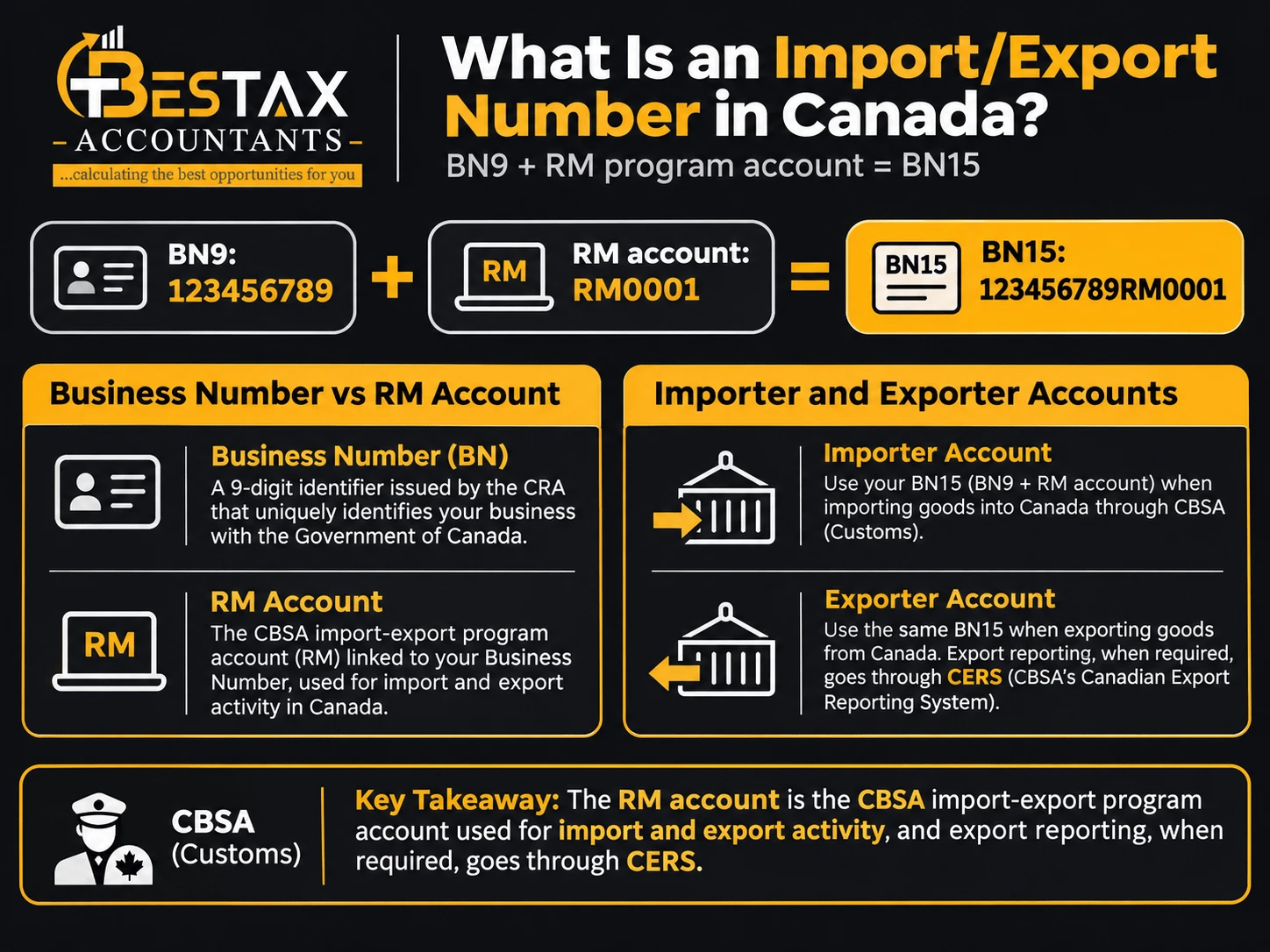
An import/export number in Canada is your RM program account with the CBSA. The CBSA uses this account number for your import and export activity. You quote it when your goods are released and accounted for, so the CBSA knows who is importing.
Business Number vs RM Account
Your business number (BN9) has nine digits. Your RM account is a six-character program account, such as RM0001. Together, they form a 15-character business number account identifier, called a BN15.
| Number | Issued by | Format | Example |
|---|---|---|---|
| Business number (BN9) | CRA, or the CARM Client Portal for most resident importers | 9 digits | 123456789 |
| RM program account | CBSA, in CARM | RM plus 4 digits | RM0001 |
| Import/export number (BN15) | BN9 and RM account combined | 15 characters | 123456789RM0001 |
If you don't have a business number yet, our guide to the CRA business number and its program accounts explains how the BN9 works.
Using the RM Account for Imports and Exports
The CBSA calls it an import-export program account because it uses the account for both import and export purposes. To import goods, you enrol in the importer program. When export reporting applies, you submit your export documents electronically through the Canadian Export Reporting System (CERS).
Who Needs a CBSA Import/Export Account?
You need an RM account if your business imports or exports commercial goods. The CBSA defines commercial goods as goods imported into Canada for business use, resale or work. This covers new importers, occasional importers and small and medium businesses.
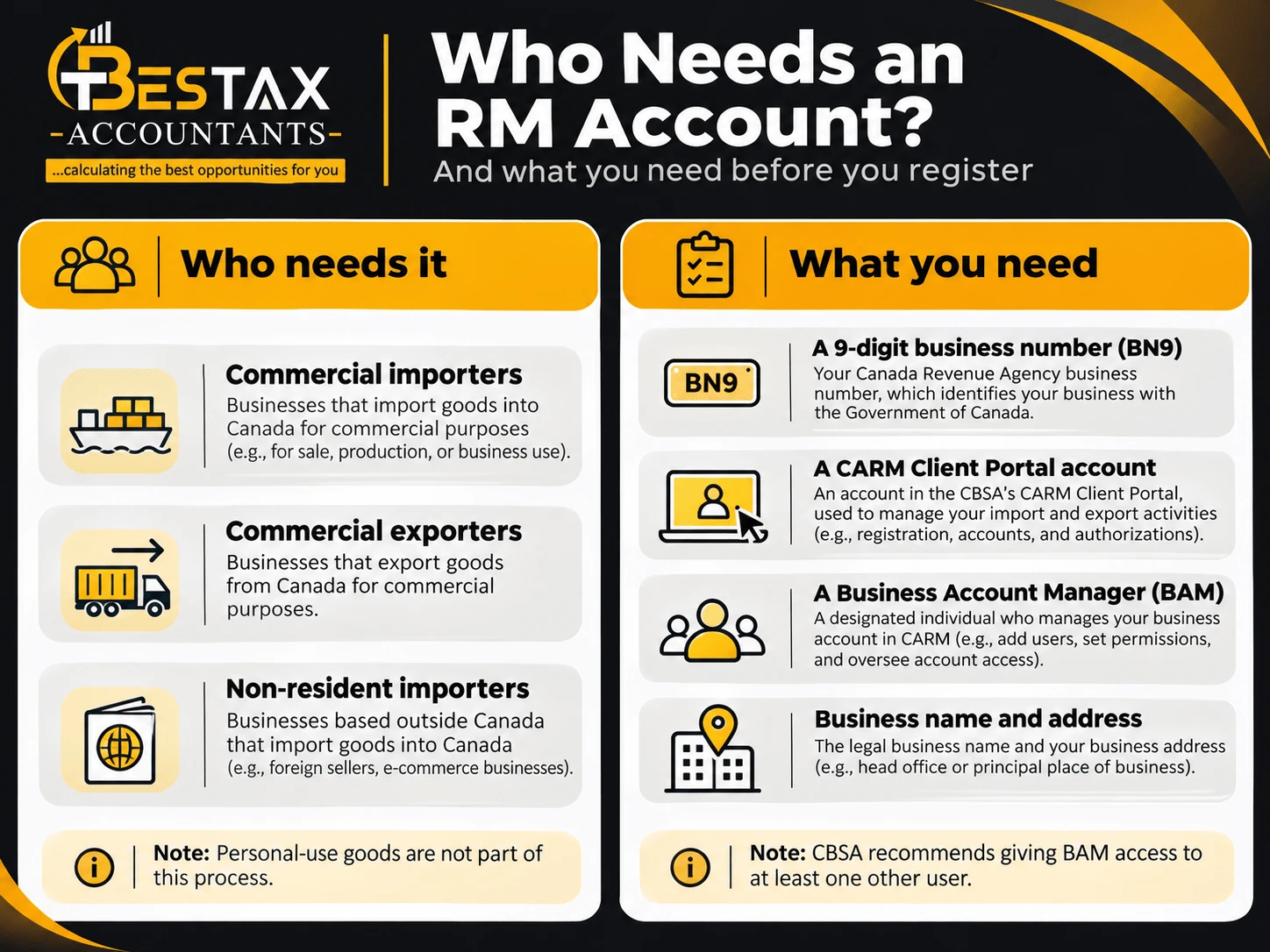
- Commercial importers: You need an RM account to account for your goods and pay duties and taxes.
- Commercial exporters: You need an RM account and must follow the CBSA's export reporting requirements.
- Non-resident importers: You can register too, but you must get your business number from the CRA first.
This process applies to commercial goods only. Goods you bring into Canada for personal use don't need an RM account.
What Do You Need to Register for an RM Account?
Before you register, make sure you have these items in place.
- A 9-digit business number (BN9): Most new Canadian resident importers can get one through the CARM Client Portal.
- A CARM Client Portal account: Every importer needs one to register and manage their program accounts.
- A Business Account Manager (BAM): This person has full access to your business account in CARM.
- Your business name and address: These appear on your program account, and you can update them later in CARM.
The CBSA highly recommends giving the BAM role to at least one other user, so your account isn't locked to one person.
How to Get an Import/Export Number in Canada: Step-by-Step
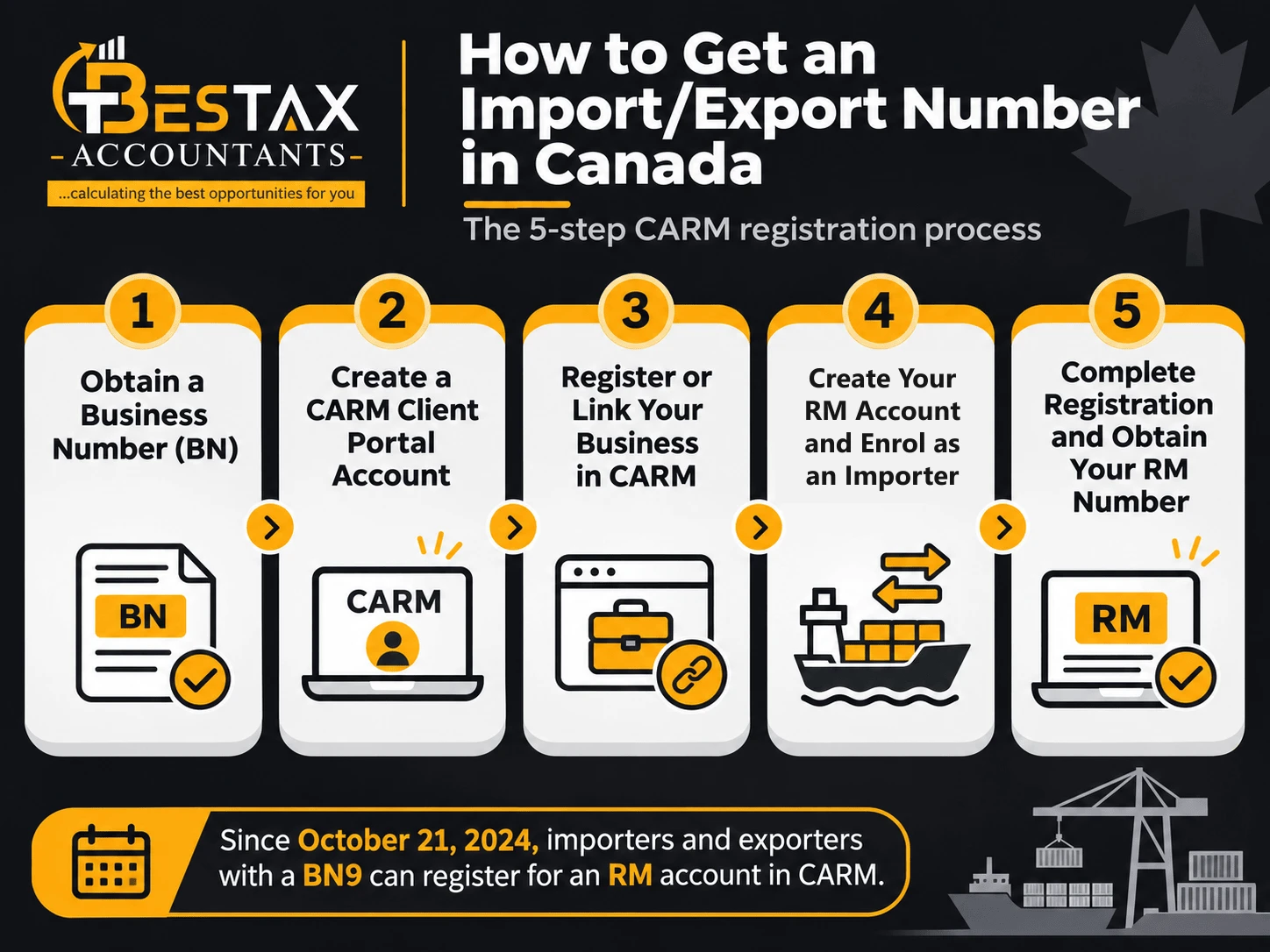
Since October 21, 2024, importers and exporters with a BN9 can register for an RM account in CARM. The process has five main steps, so you know what to expect before your first shipment.
Step 1: Obtain a Business Number (BN)
Your business number is the base of your RM account. As a new Canadian resident importer, you can usually get your BN9 through the CARM Client Portal. Non-resident importers, resident trusts and some other entity types must get their BN9 from the CRA instead.
Step 2: Create a CARM Client Portal Account
CARM (CBSA Assessment and Revenue Management) is the CBSA's system for collecting duties and taxes on commercial imports. Every importer needs a portal account to register, manage program accounts and use CBSA online services.
Step 3: Register or Link Your Business in CARM
Once you have portal access, you set up your business account in CARM. At least one person must hold the Business Account Manager role. You can give other users more limited roles.
- Program Account Manager: This user can access only the program accounts the BAM assigns.
- Editor: This user performs day-to-day tasks in the portal, such as requesting rulings and making payments.
- Reader: This user can view rulings, payments and financial information.
Step 4: Create Your RM Account and Enrol in the Importer Program
Next, you create your RM account and enrol in the importer program. CARM also lets you enrol in sub-programs, such as Release Prior to Payment (RPP). The CBSA has no separate exporter program: exporters register for an RM account the same way and then report exports through CERS when required.
Step 5: Complete Registration and Obtain Your RM Number
After enrolment, you receive your RM account, such as RM0001. It joins your BN9 to form your 15-character BN15. You then use this number for your import and export activity with the CBSA.
If you later need to change your account's name or address, you can do it in CARM. You can also cancel your enrolment there. To reopen a closed account, you contact the CARM client service and helpdesk.
How Much Does an Import/Export Account Cost and How Long Does It Take?
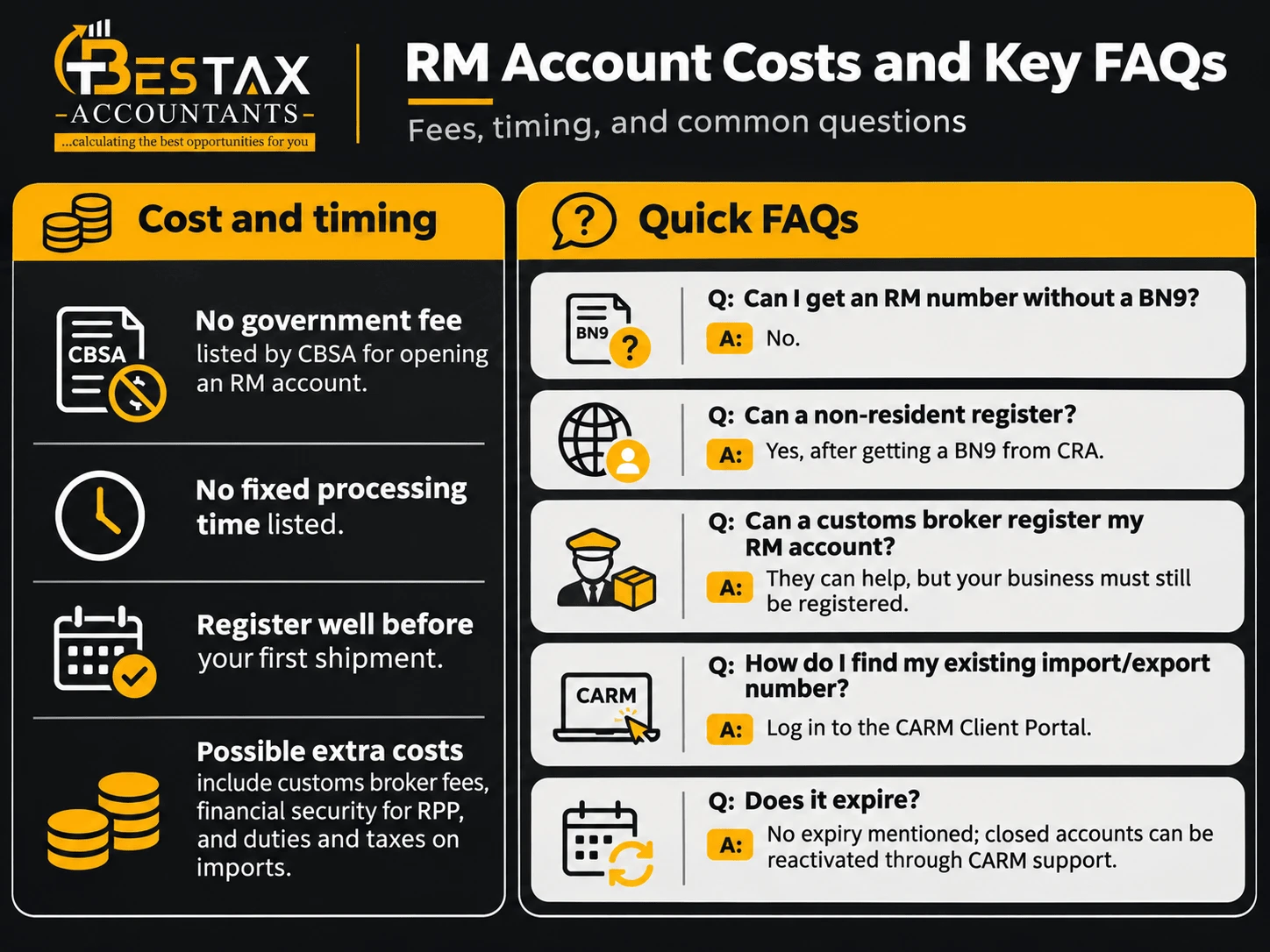
The CBSA registration pages don't list a government fee for opening an RM account, and they don't give a fixed processing time. The CBSA advises registering well before your import or export deadlines to avoid delays in releasing your goods.
Your other costs depend on how you manage your imports.
- Customs broker fees: If you hire a broker, you pay for their services. The CBSA does not regulate these fees, so discuss them before you sign.
- Financial security: If you enrol in RPP, you need to post financial security.
- Duties and taxes: You pay these on the goods you import, based on their classification, origin and value.
What to Do After Getting Your RM Business Number
Your RM account lets you start importing, but a few more steps help your goods move smoothly. Here is what to set up next.
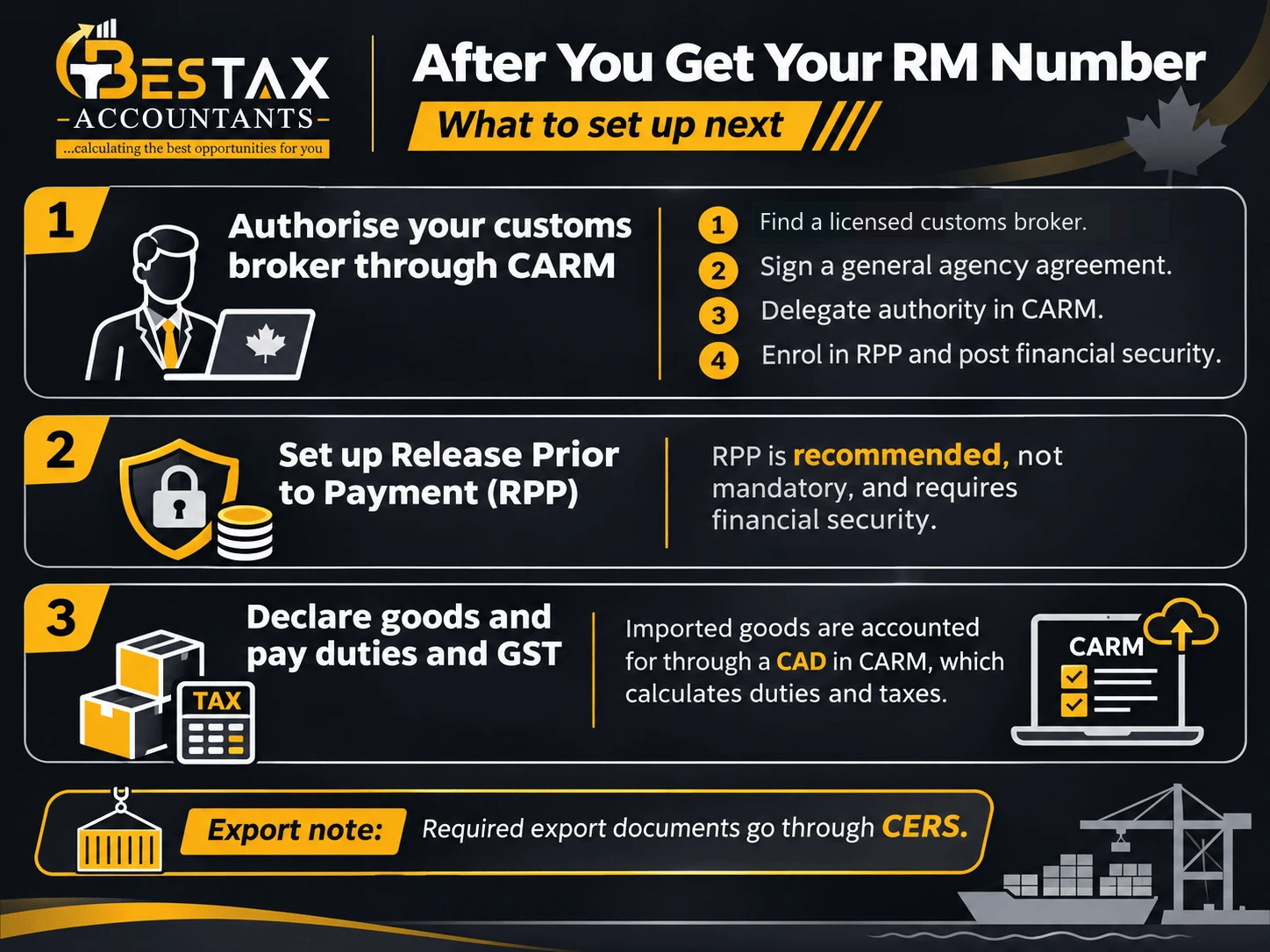
Authorise Your Customs Broker Through CARM
You can submit your own release and accounting documents, or you can hire a licensed customs broker. If you choose a broker, the CBSA lists these steps.
- Find a CBSA-licensed customs broker.
- Sign a general agency agreement.
- Delegate authority to the broker in CARM.
- Enrol in RPP and post financial security (recommended).
You must be registered in CARM before you can delegate to a broker. A broker can pay duties for you, prepare documents, keep records and answer CBSA questions. Bestax can connect you with a licensed customs broker through our network.
Using a broker does not remove your responsibility for duties and taxes. If the broker's business number is on the commercial accounting declaration (CAD), the broker shares that responsibility with you. You also remain responsible for record-keeping, so keep your import invoices and customs documents with your books.
Set Up Release Prior to Payment (RPP)
RPP is a CARM sub-program, and it is recommended rather than mandatory. The CBSA includes it in its recommended steps for importers who use a customs broker. Taking part in RPP requires you to post financial security.
Declare Goods and Pay Duties and GST on Imports
You account for your imported goods with a CAD in CARM. Once you submit the CAD, CARM calculates the final duties and taxes you owe. Depending on the goods, these can include:
- Customs duties
- Excise duties and excise tax
- Goods and Services Tax (GST)
- Surtaxes and safeguard measures
- Anti-dumping and countervailing duties, under the Special Import Measures Act
You then pay them through CARM. If your business is registered for GST/HST, the GST you pay on imports used in your business can usually be claimed back as an input tax credit on your GST/HST return.
If you export, you submit any required export documents through CERS.
Frequently Asked Questions
No. Your RM account joins your 9-digit business number to form your BN15, so you need a BN9 first.
Yes. Non-resident importers get their BN9 from the CRA, then register in CARM and enrol in the importer program to receive their BN15.
A broker can help, but your business must be registered in CARM itself. Once it is, you can delegate authority to the broker in CARM.
Log in to the CARM Client Portal to view and manage your program accounts.
The CBSA pages don't mention an expiry date. If your program account is closed, you can ask the CARM client service and helpdesk to reactivate it.
Yes. The CBSA uses your RM program account for both import and export purposes. To import, enrol in the importer program in CARM before your first shipment.
Need Help Getting Your Business Ready to Import or Export?
Setting up your business correctly before you import saves you delays later. As chartered accountants, Bestax can help you with company registration in Canada, GST/HST registration and returns and bookkeeping, so your records stay organised. Through our network, we can also help with CARM registration and customs brokerage.
Contact Bestax Chartered Accountants for help with company registration, GST/HST, bookkeeping and your RM account setup.
Sources
- CBSA: Register for or modify an import-export program account
- CBSA: Who should use this guide
- CBSA: Gather information about the goods you want to import
- CBSA: Select the duties and taxes that apply
- CBSA: Set up your business to import
Disclaimer: The information provided in this blog is for general informational purposes only. For professional assistance and advice, please contact experts.